A plugin for Cinema 4D 2026 (Windows / Mac)

Smoother C4D / AE integration.
And connections beyond.

Show After Effects or a camera feed live in the C4D viewport.
Send the C4D viewport out to OBS and more, live! Keep the AE and C4D timelines in sync.
And OSC control opens up a lot more.

Cinema 4D 2026.2 or later / the demo has every feature (with a DEMO watermark on the video)

I wish I could see my AE comp as the background in C4D
After Effects→ NDI →C4D background

Send AE out over NDI and it shows up behind your scene in the C4D viewport. Set up your camera and layout against the real comp.

SetupAlong with this plug-in, you need the free NDI Tools.
VIDEO IN
I want to check the camera input in C4D, live
Camera→ NDI →C4D background

Show an NDI camera, or a camera you send out of vMix or OBS over NDI, behind your scene. Match framing between the plate and your CG while you shoot.

VIDEO IN
I want to send C4D out as live video
C4D viewport→ NDI / Spout / Syphon →OBS · vMix · Resolume · TouchDesigner

The viewport goes out as a live video feed. Stream it with OBS, switch it in vMix, or use it in Resolume or TouchDesigner. Up to 60 fps.

NDI to reach other computers; inside the same computer, Spout (Windows) or Syphon (Mac) too.

VIDEO OUT
I want C4D and AE to work together even better
C4D timeline↔AE timeline

The included AE extension, C4D Time Sync, keeps both timelines on the same frame. Play or move the time in either one and the other follows.

AE Time Sync
I want to drive C4D from my phone

Scan the QR code in the panel. Play and stop, step frames, switch cameras and takes, and move your User Data sliders from the browser.

Web Controller
I want to drive C4D with a MIDI controller

Assign knobs and pads with Learn. OSC apps like TouchOSC work too, and the values you move can be recorded as keyframes.

MIDI / OSC

Images are illustrations.

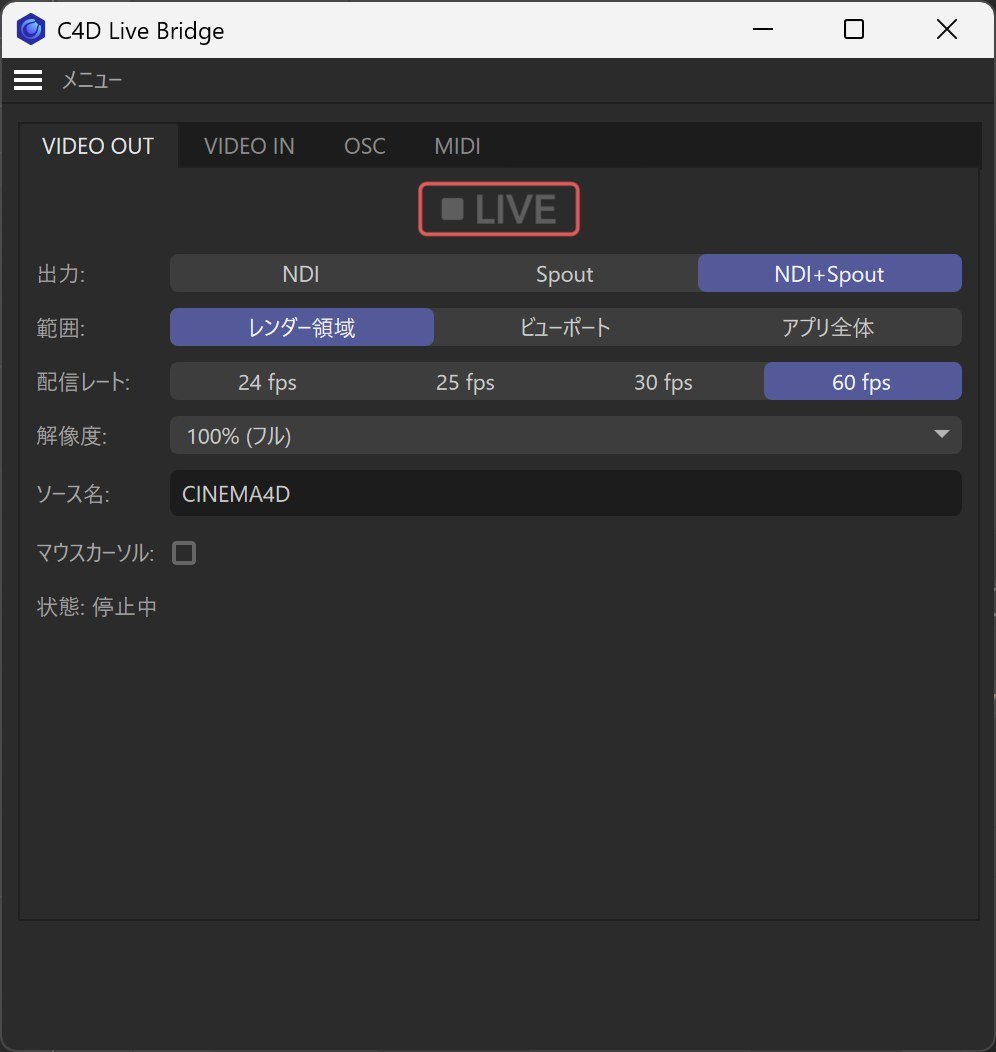
  • VIDEO OUTSend over NDI / Spout / Syphon. Pick what to send (render area, viewport or the whole app) and the frame rate, then press LIVE.
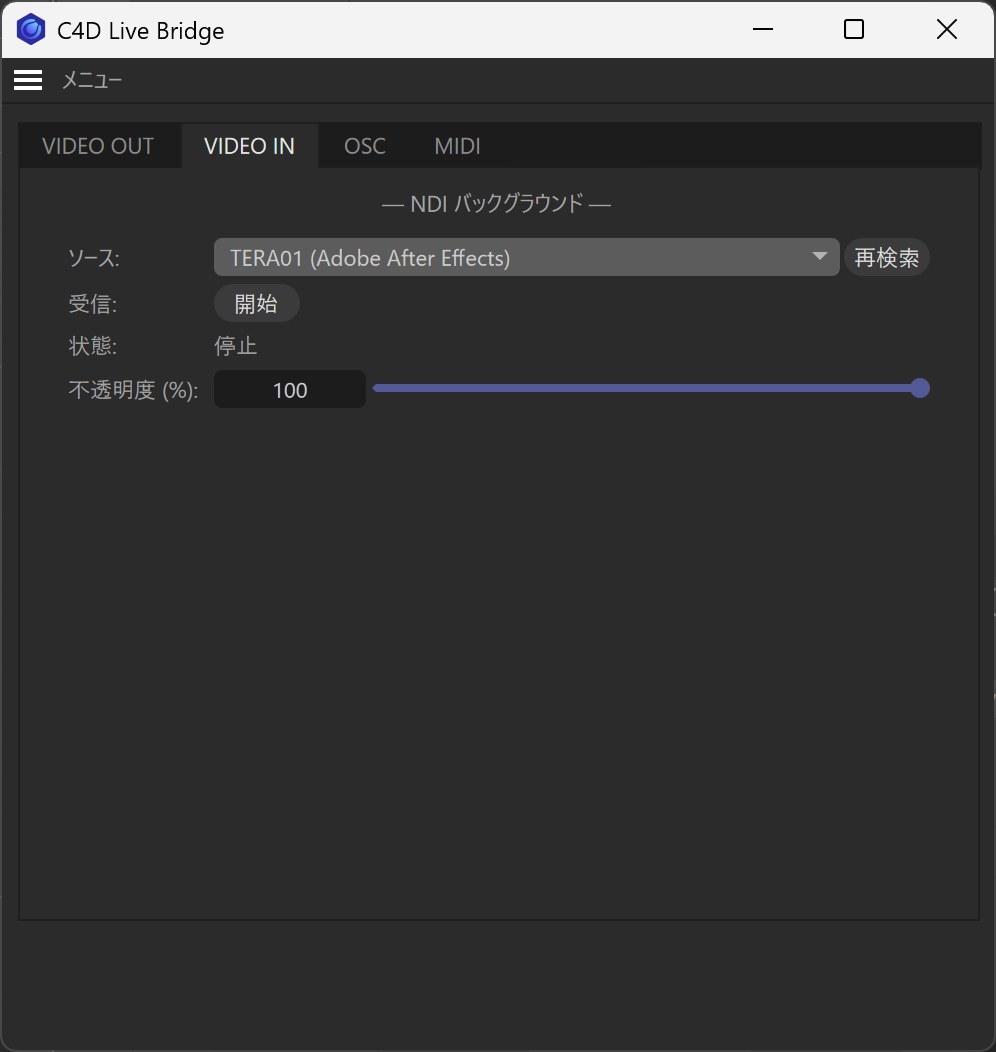
  • VIDEO INPick an NDI source and start. Opacity, color compensation, and snapshots that freeze a frame as the background (up to 10, PNG export too).
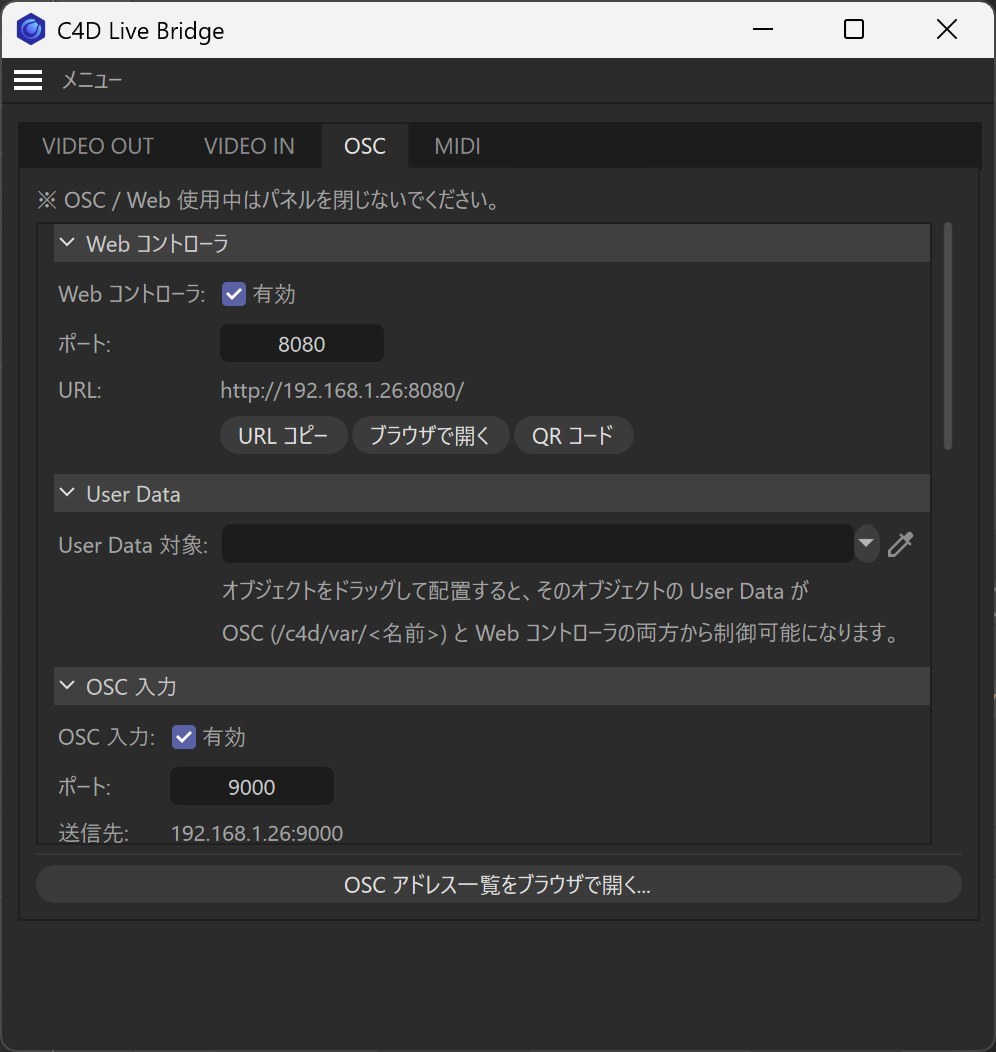
  • OSC / Web ControllerOSC in and out, the phone controller, User Data control, camera data output (Camera Sync) and keyframe recording.
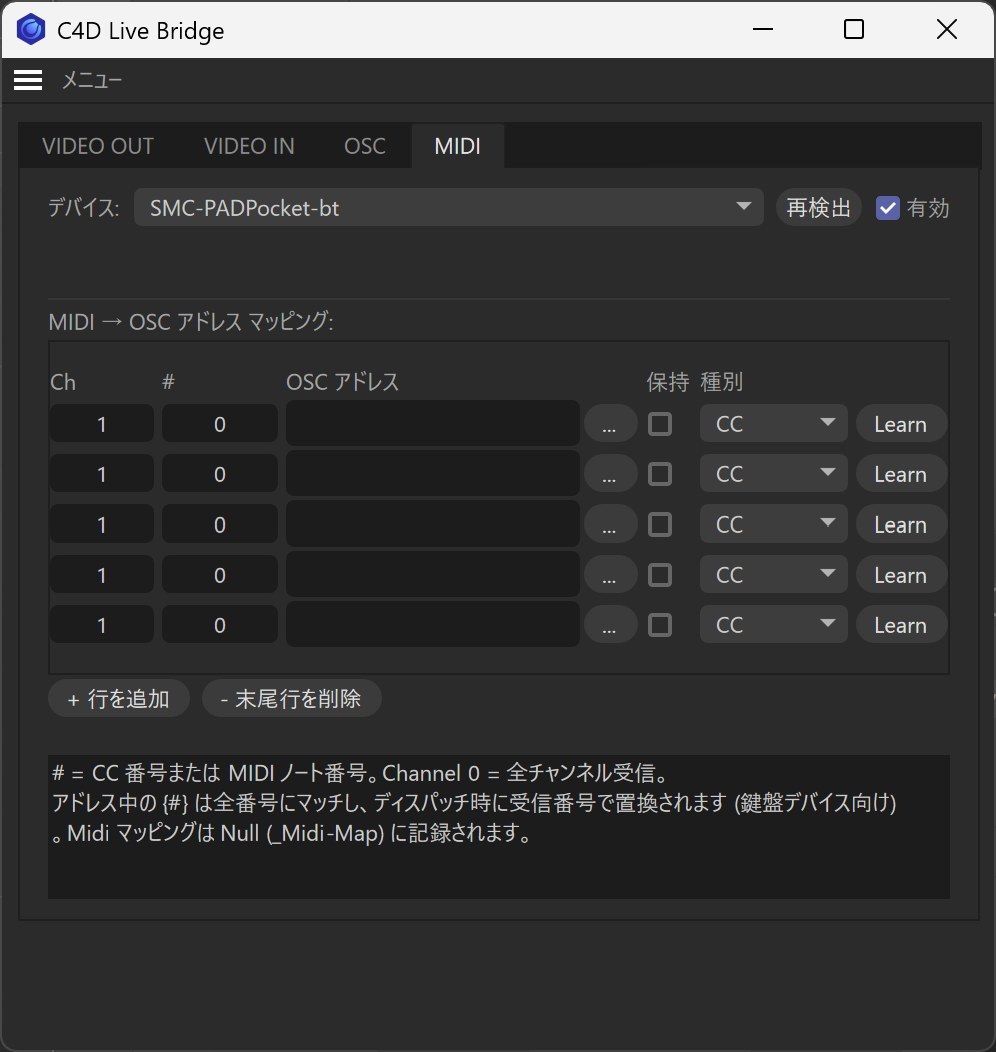
  • MIDIChoose a device and Learn. Map notes, CC, velocity and pressure to OSC addresses.
VIDEO OUT tab
VIDEO OUT
VIDEO IN tab
VIDEO IN
OSC tab
OSC / Web
MIDI tab
MIDI

Videos

After Effects comp as the live C4D background (VIDEO IN) Watch on YouTube ↗

Driving C4D from a phone browser (Web Controller) Watch on YouTube ↗

Playing particles from a MIDI pad Watch on YouTube ↗

Getting started

Installing is just copying a folder.

Copy the folder

Put the C4D_Live_Bridge folder from the zip into your Cinema 4D plugins folder.

Open the panel

Start Cinema 4D and choose Extensions → C4D Live Bridge...

Press LIVE

To send, press LIVE in VIDEO OUT. To receive, pick a source in VIDEO IN and start.

Working with After Effects

Show the AE comp in C4D (NDI)

  1. Install the free NDI Tools on the computer running After Effects
  2. In AE's Preferences → Video Preview, turn on Mercury Transmit and pick NDI as the output
  3. In C4D Live Bridge's VIDEO IN, choose "COMPUTER-NAME (Adobe After Effects)" and start

Sync the timelines (C4D Time Sync)

  1. Install the .zxp from the AfterEffects_Sync folder with the free ZXPInstaller
  2. Open it in AE from Window → Extensions → C4D Time Sync
  3. In C4D's OSC tab, turn on OSC Output (Target Port 7400) and OSC Input, then press Start in the AE panel

Full install & quick start guide

Demo and full version

Performance may vary with your network, GPU and security settings. Before purchasing, please confirm with the demo that it works in your environment.

Demo

Free
  • Same features as the full version
  • A "DEMO" watermark on the video you send and on the VIDEO IN background
  • No time limit

Windows / Mac · about 5 MB · $0 on Gumroad

Full version

$15one-time
  • No watermark
  • Windows and Mac versions both included
  • One license per person, on as many of your own computers as you like
  • 1.x updates at no extra cost

Shown in your local currency at checkout; local taxes may apply. It's a digital product, so there are no refunds after purchase.

Requirements

Cinema 4D2026 (2026.2 or later). It won't load in 2026.0 / 2026.1, 2025 or earlier, or 2027.
WindowsWindows 10 / 11 (64-bit)
MacmacOS 15.5 (Sequoia) or later, Apple Silicon (Intel Macs haven't been tested)
NDIThe NDI runtime comes with C4D Live Bridge, so there's nothing extra to install on the C4D side. Only to send video from After Effects do you need the free NDI Tools on the AE computer.
After Effects syncAfter Effects 2024 / 2025 / 2026
Receiving appsAnything that takes NDI / Spout / Syphon: OBS, vMix, Resolume, TouchDesigner, NDI Studio Monitor and so on

FAQ

How do I get my After Effects comp into C4D?

Install the free NDI Tools on the computer running AE. In AE's Preferences → Video Preview, turn on Mercury Transmit and pick NDI as the output. Then choose "COMPUTER-NAME (Adobe After Effects)" in C4D Live Bridge's VIDEO IN. It works on one computer or across two.

Does the VIDEO IN background end up in my renders?

No, it only shows in the viewport. To send out what you've composited, send the viewport with VIDEO OUT.

NDI or Spout / Syphon?

NDI to reach other computers or gear. Inside the same computer, Spout (Windows) or Syphon (Mac) works too. If in doubt, NDI.

Do I need a MIDI controller?

No. Use only the parts you need. VIDEO OUT on its own, or VIDEO IN on its own, is already handy.

TT

I made this to make checking CG composites easier on studio shoots. Feedback, requests and bug reports are welcome by email.

Taichi Teramura, freelance CG designer · taichi-teramura.com